Disapproved Products in Google Merchant Center: Why It Happens and How to Fix It Fast
Every disapproved product in Merchant Center is a product missing from your Shopping ads. It doesn’t spend — but it doesn’t sell either. And when disapprovals hit your bestsellers or an entire category, campaign performance drops overnight. The worst part: you usually find out late. Google emails you about serious account-level issues, but individual product disapprovals quietly pile up in Diagnostics, a tab nobody checks daily.
This article covers the most common disapproval reasons, a step-by-step fix process, and how to find out about problems before they burn your budget.
Where to find disapproved products
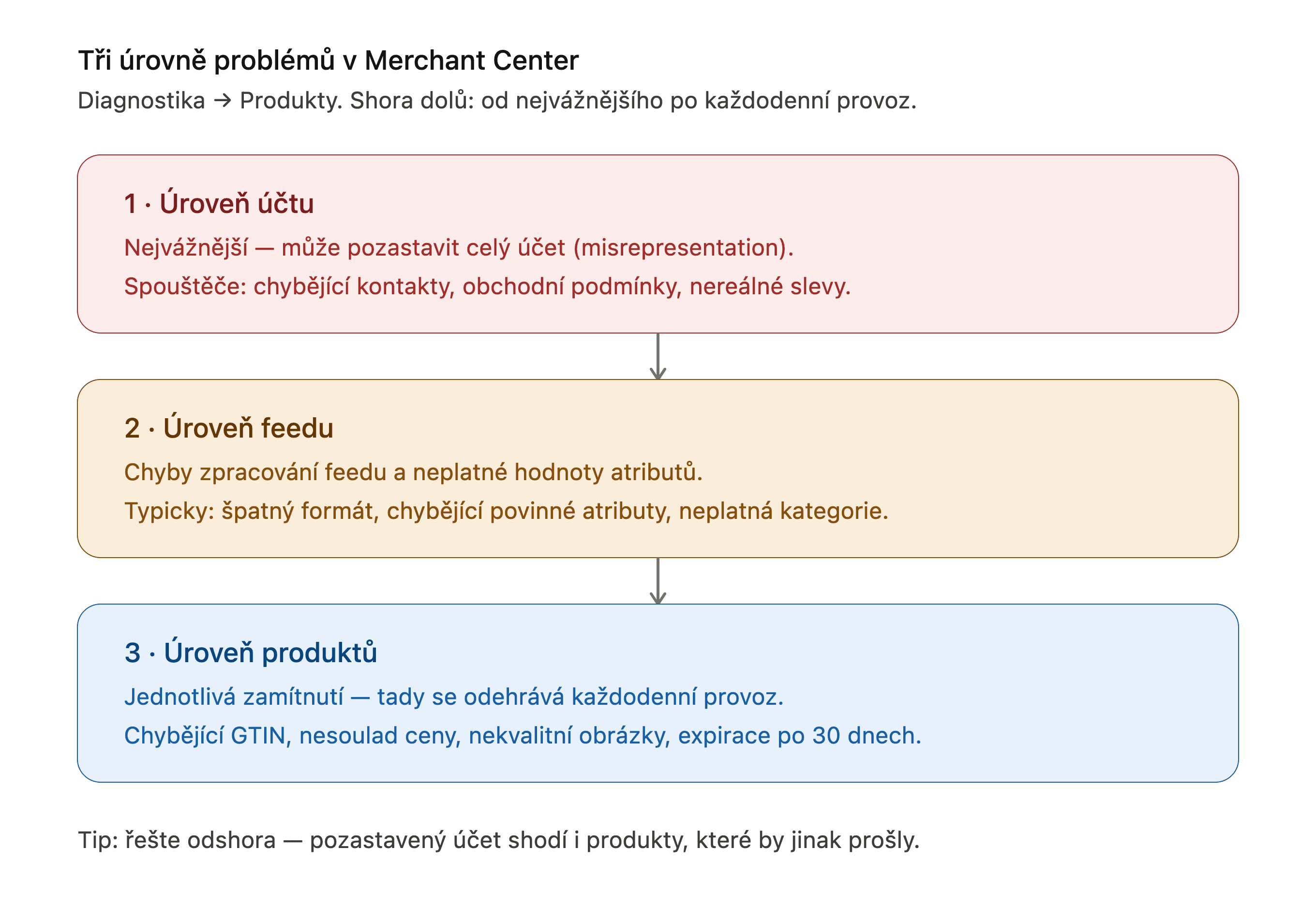
In Merchant Center (or Merchant Center Next), open Products → Diagnostics. Issues come in three levels:
- Account-level issues — the serious ones that can suspend your entire account (typically “misrepresentation”).
- Feed-level issues — processing errors, invalid attribute values.
- Item-level issues — individual disapprovals; this is where day-to-day operations happen.
For each issue, Google shows the number of affected products and sample items. Export the list to a spreadsheet once you’re past a few dozen affected products.
The 7 most common disapproval reasons (and how to fix them)
1. Missing or invalid GTIN
The most frequent issue for stores selling manufacturer-branded goods. Fix: add the GTIN/EAN/UPC to your product data so it flows into the feed. For products that genuinely have no GTIN (custom-made, handmade), set identifier_exists: false — but never apply it in bulk to products that do have GTINs. Google can detect this, and you risk disapprovals for incorrect identifiers instead.
2. Price or availability mismatch
Google compares the price in your feed against the price on your landing page. If you reprice during the day and your feed updates once daily, you get a mismatch. Fix: more frequent feed updates, automatic item updates in Merchant Center (Settings → Automatic improvements), or structured data markup on product pages so Google can verify prices directly.
3. Low-quality images
Watermarks, promotional overlays (“SALE −30%”), images below minimum resolution. Fix: clean product photos with no overlay text; Merchant Center’s automatic image improvements can remove some watermarks, but don’t rely on it.
4. Policy violations — prohibited or restricted products
Weapons, pharmaceuticals, health claims in descriptions — but also less obvious items like knives or supplements with bold promises. Fix: rewrite descriptions to remove medical claims; exclude genuinely restricted products from the feed so they don’t drag down the rest of the account.
5. Misrepresentation
The most dangerous category — it’s not about a product, it’s about your store’s trustworthiness, and it can suspend the whole account. Triggers: missing contact details, no terms of service or return policy, inconsistent business information, unrealistic discounts. Fix: complete footer with business details, visible terms, a clear shipping and returns page.
6. Invalid or missing required attributes
Missing color/size for apparel, malformed shipping, non-existent category values. Fix: check the product data specification for your vertical and map the attributes correctly in your feed.
7. Expired approvals after 30 days
Products not refreshed within 30 days get dropped. Fix: make sure your data source has a daily scheduled fetch.
Step-by-step fix process
- Download the affected-products report (CSV) from Diagnostics.
- Prioritize by product count × product importance. A disapproved bestseller beats a disapproved long-tail variant.
- Fix the source, not the symptom — an error in your store or feed comes back with the next update; a manual patch in Merchant Center doesn’t survive it either way.
- Request a review (for policy issues) or wait for the next feed processing.
- Verify results after 24–48 hours.
Fixing isn’t the hard part. Finding out in time is.
A one-off fix is routine work. The real problem happens at 3 a.m. on a Tuesday: your feed breaks, Merchant Center disapproves 800 products, and your Shopping campaigns quietly stop serving. Without monitoring, you discover it a week later in your revenue chart.
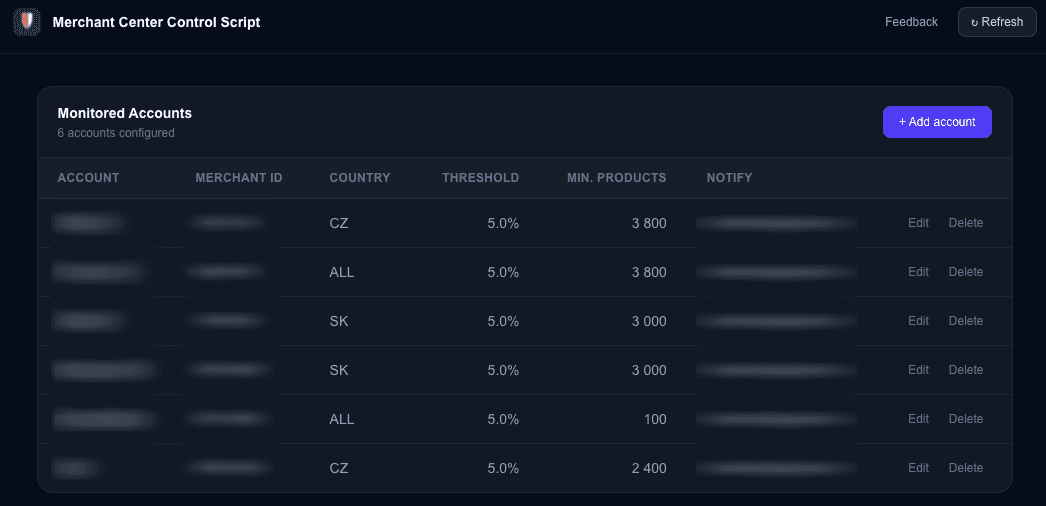
That’s exactly why we built the Merchant Center Control Script — set your thresholds (maximum disapproval rate, minimum active product count per account) and the script emails you the moment something breaks. No OAuth, no third-party data access — it runs entirely inside your own Google Ads account.
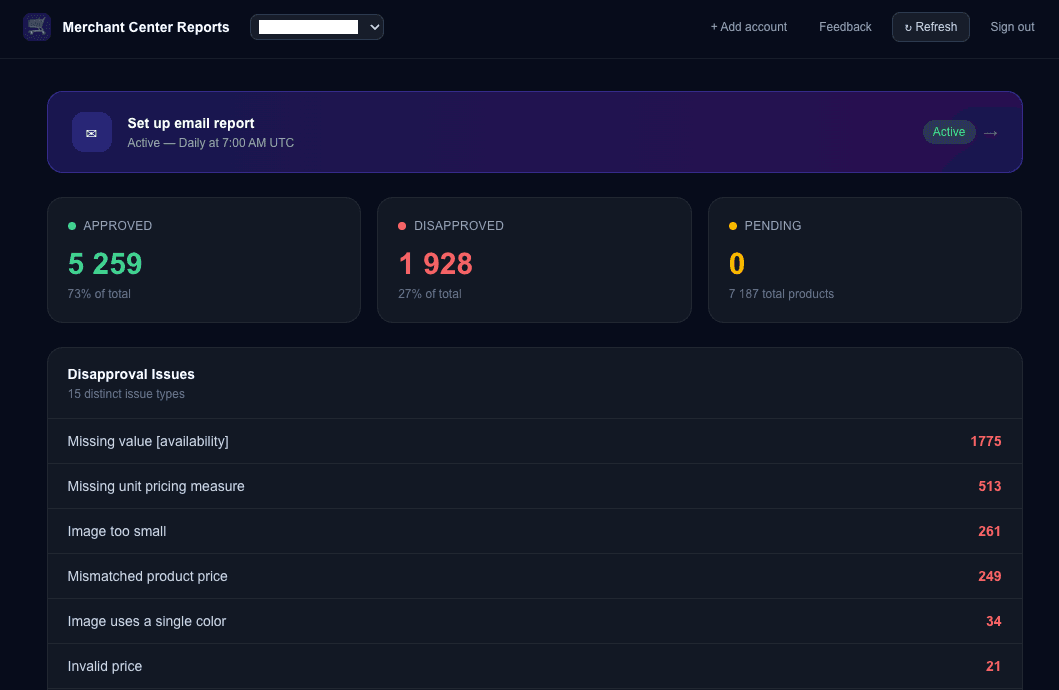
Managing multiple accounts and prefer scheduled overviews instead of alerts? Check out Merchant Center Approval Reports — daily, weekly, or monthly email reports covering approved, disapproved, and pending products across all your accounts.
FAQ
How long does re-approval take after a fix?
Typically 24–48 hours after the next feed processing. Policy reviews can take up to 7 days.
Can I request a review repeatedly?
Yes, with limits — repeated requests without an actual fix can trigger a cooldown period. Fix the root cause first.
Do disapprovals only affect Shopping campaigns?
No — disapproved products also drop out of Performance Max (the product component) and free listings.
Related tools
Merchant Center Control Script
Monitor your Google Merchant Center product approval status. Get alerted when disapproval rates exceed your thresholds or product counts drop below minimum.
Merchant Center Approval Reports
Automated reports on your Google Merchant Center product approval status. Get scheduled email reports with a full breakdown of approved, disapproved, and pending products across all your accounts.